


LizzieYzy Next
Every game played.A little more understood.
Open a game, find the turning points. Review, practice and AI explanations in one place.
 Download free
Free, open-source software · Windows / macOS / Linux


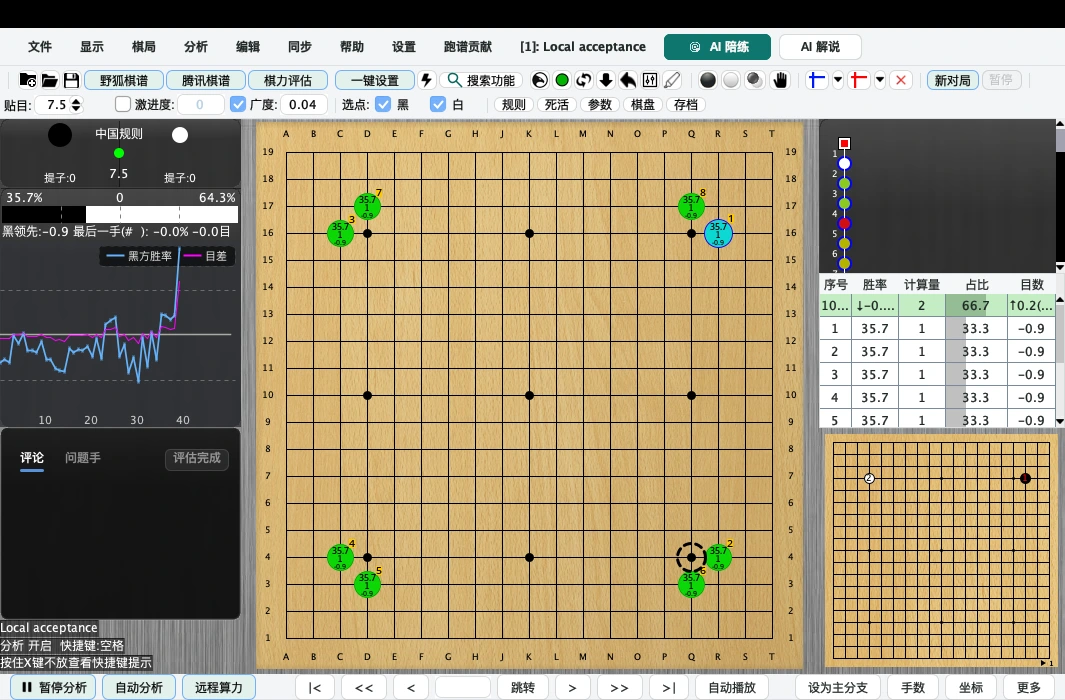
A clearer view of the board.A more thoughtful next move.
Start with a game you played today
Three steps to the moves worth a second look.
-
Find your game
Open an SGF file, or import a game downloaded from Fox or another platform.
-
Run analysis
Use KataGo to examine win rate and score changes, one move at your own pace.
-
Understand key moves
Compare your moves with suggested variations. Connect an AI service for explanations.


LizzieYzy Next
The right version. Your next review.
Choose for your computer. Find more versions and installation help on the download page.
Windows
Use CUDA for NVIDIA RTX 20 / 30 / 40 / 50; RX 9000 can try ROCm, while other graphics should use OpenCL
- —

NVIDIA CUDA Recommended
One build for RTX 20 / 30 / 40 / 50
- —
OpenCL compatible
AMD / Intel graphics
- —

CPU universal
Works without dedicated graphics

macOS
Choose the build for your Mac chip
- —
Apple silicon Recommended
M1 / M2 / M3 / M4 / M5
- —
Intel chip
Older Intel Macs
Drag the app to Applications after downloading
Linux
Linux builds are available on GitHub, including CPU, OpenCL and CUDA.
Get Linux builds